Your Essential China Travel Guide to WeChat Payment for Foreign Tourists
Planning a trip to China? Master WeChat Payment with this quick setup guide—your key to cashless convenience!
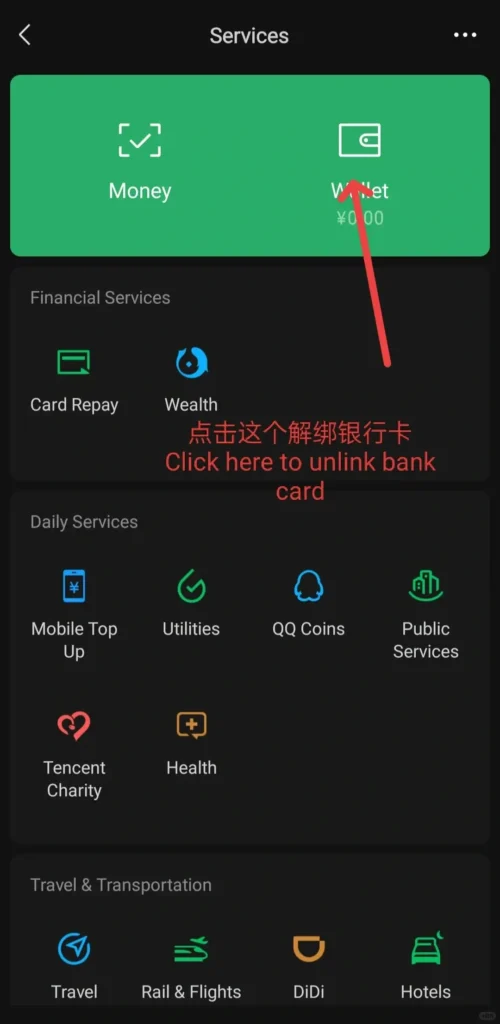
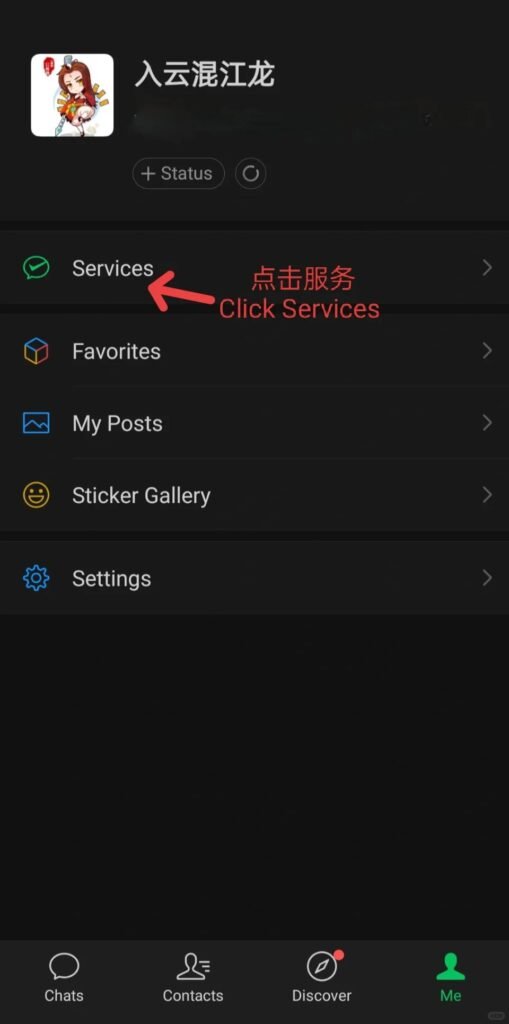
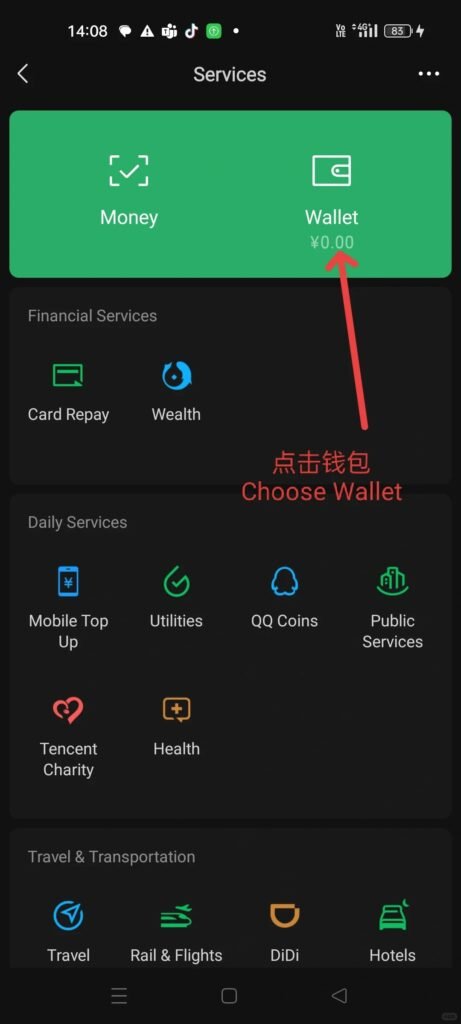
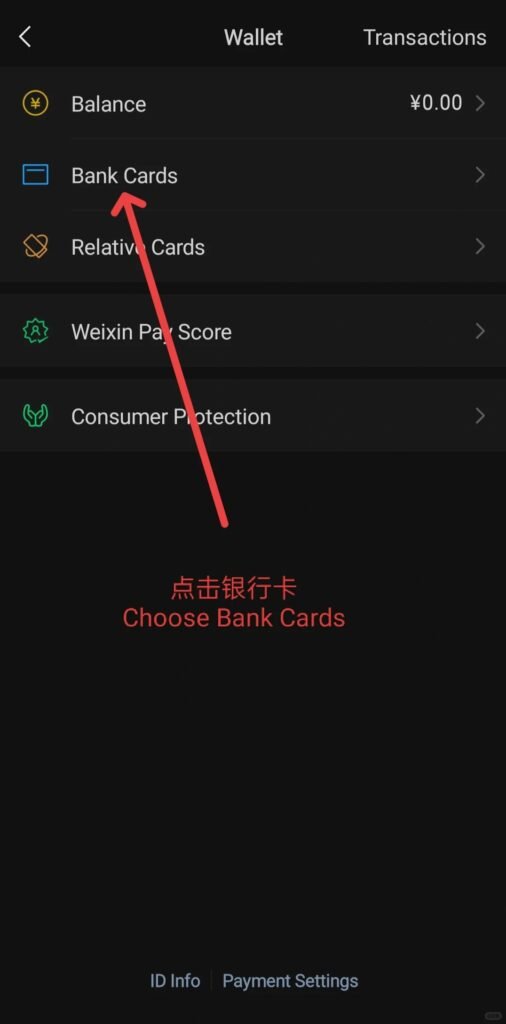
First, download WeChat and register with your foreign phone number. Navigate to the “Me” tab, select “Services,” and tap “Wallet.” Choose “Add a Card” to link an international credit or debit card (Visa, Mastercard, or UnionPay are supported). Complete the verification, set a payment PIN, and you’re ready!
Use WeChat Payment for meals, shopping, transportation, and hotel stays across China. This China Travel Guide tip ensures foreign tourists skip long queues and enjoy a seamless trip.
- Open WeChat, select Me to find Services in the list
- Click Wallet
- Click Bank Cards and then select Add Bank Card
- Enter your valid bank card number and required personal information
- Click Agree to Agreement and Bind Card
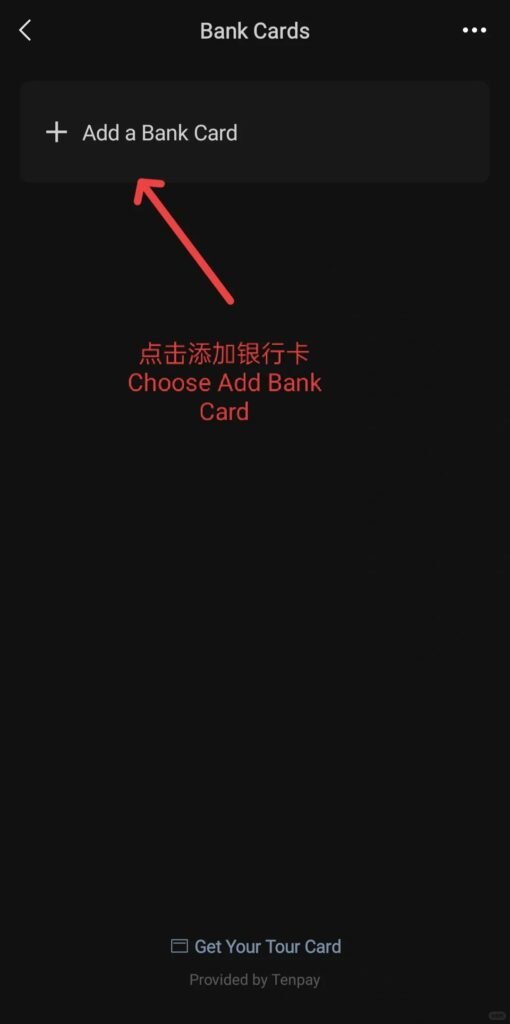
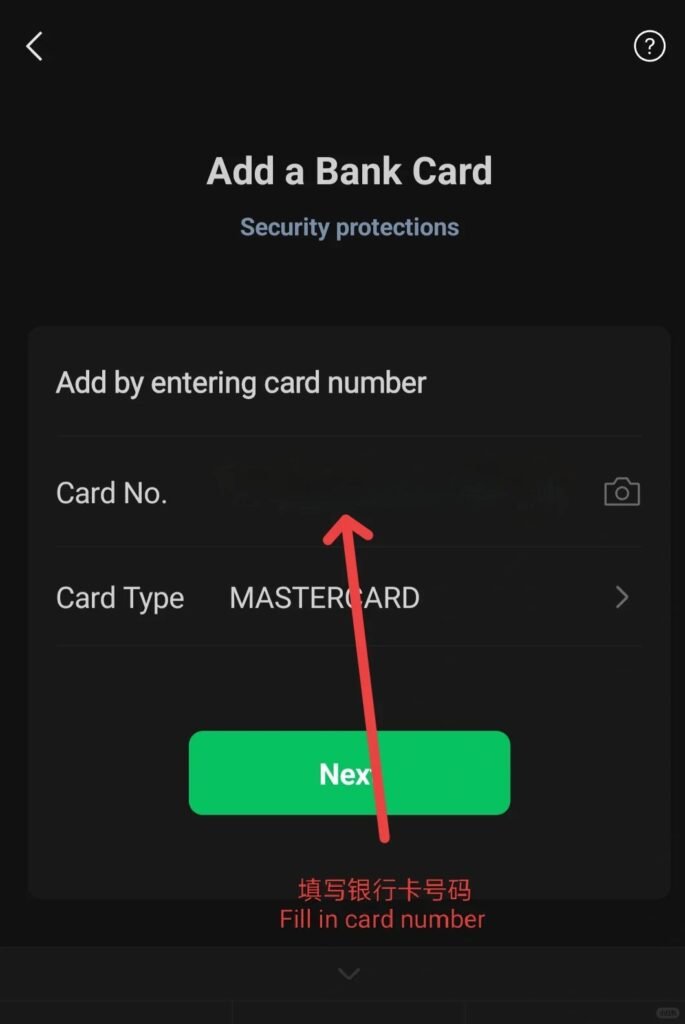
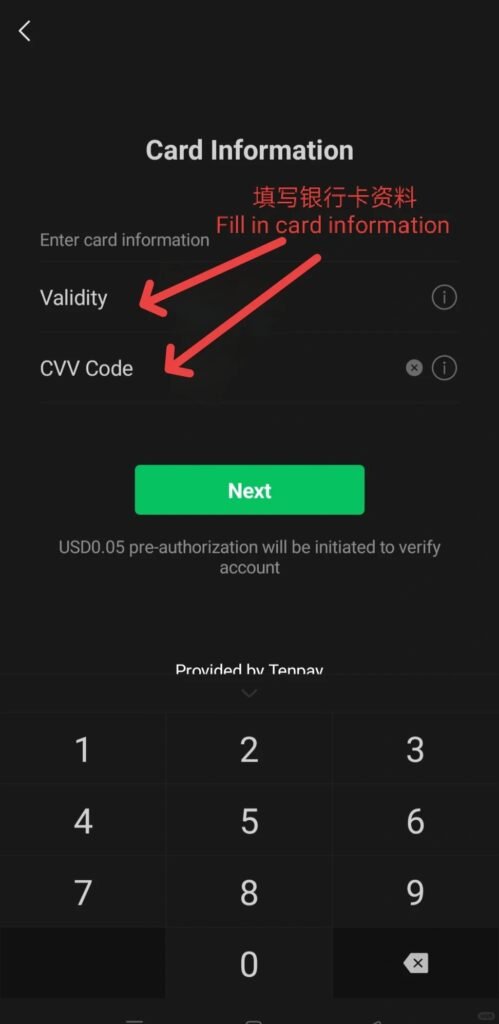
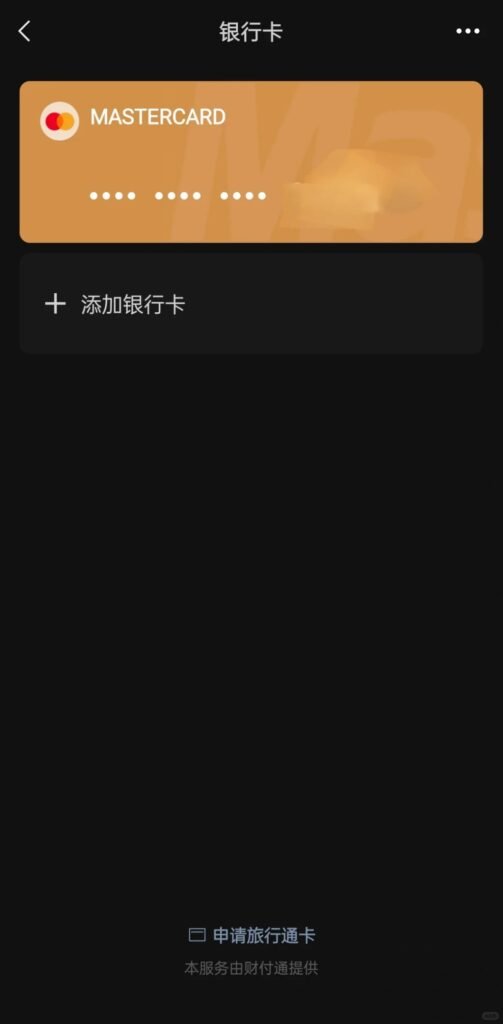
After the bank card is bound
Once you finish WeChat bank card binding, you can fully enjoy the convenience of WeChat Pay during your trip. It supports almost all daily payment scenarios, including dining, shopping, public transport, hotel check-in, and attraction ticket booking. Built-in translation, location sharing, and travel mini-programs make your journey smoother and more efficient. You no longer need to carry large amounts of cash or worry about currency exchange, allowing you to travel lightly and experience daily life in China like a local.
Notes for Attention
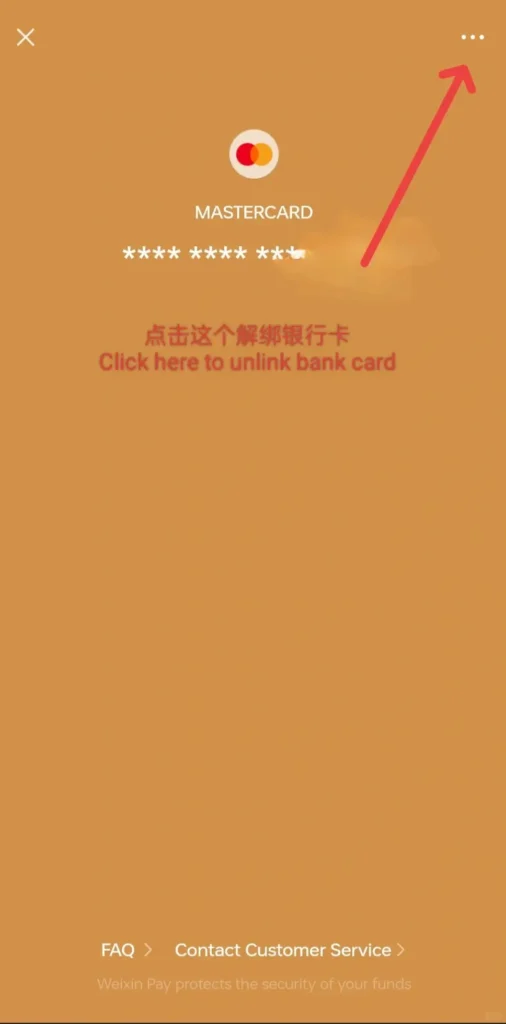
To avoid unnecessary trouble, please pay attention to these common pitfalls as part of China travel tips. First, ensure your WeChat is updated to the latest international version and use your real name consistent with your passport and bank card. Second, only bind valid Visa, Mastercard, JCB or other supported foreign bank cards; invalid or expired cards will cause binding failure. Third, complete identity verification in advance, as unverified accounts cannot use full payment functions. Finally, remember to unbind your card safely after your trip to protect account security.
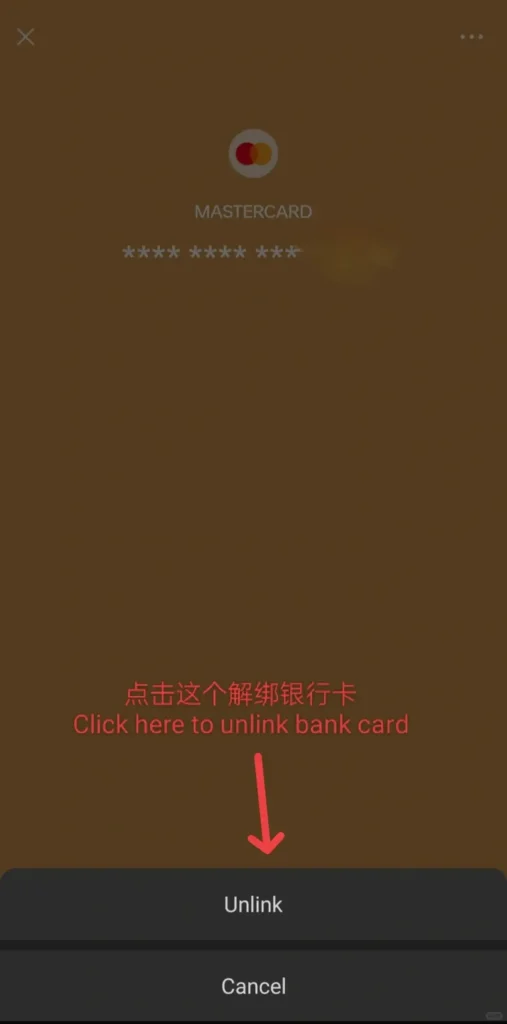
After the trip was over
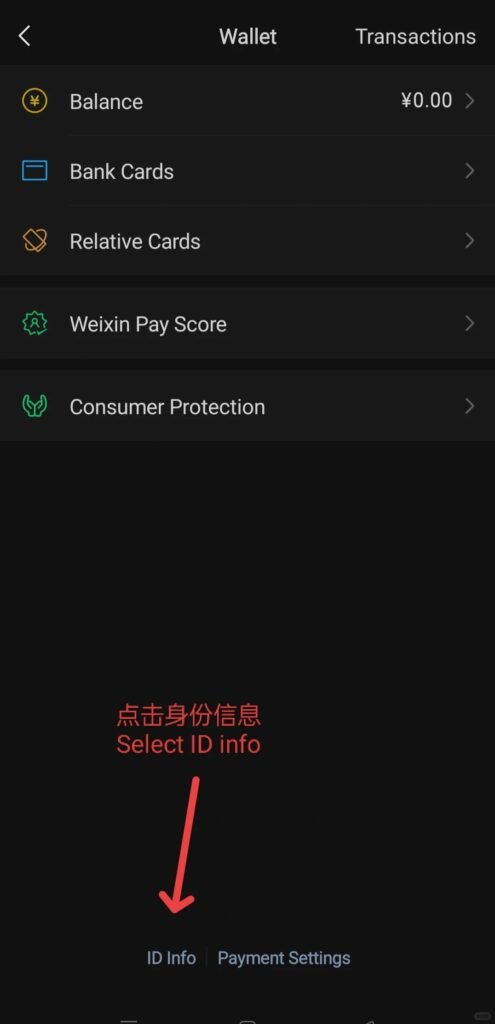
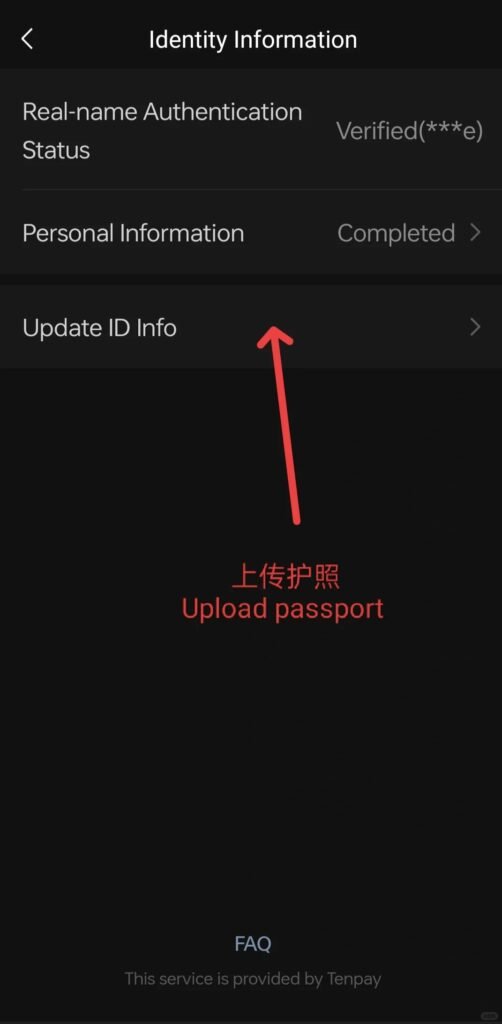
Select ID Info in the Wallet list to upload your passport and photosNote: Identity authentication only needs to be completed once. If you want to unbind your bank card after traveling, you can click on the bank card and select Unlink.